
V1.4.0
V1.4.0
New Features /Enhancements
Report Generator Rework
As part of some upcoming features, the Report Generator has been rewritten to improve the flow of creating a new or viewing a saved report.
When you generate a report, it now displays the report content in a modal:
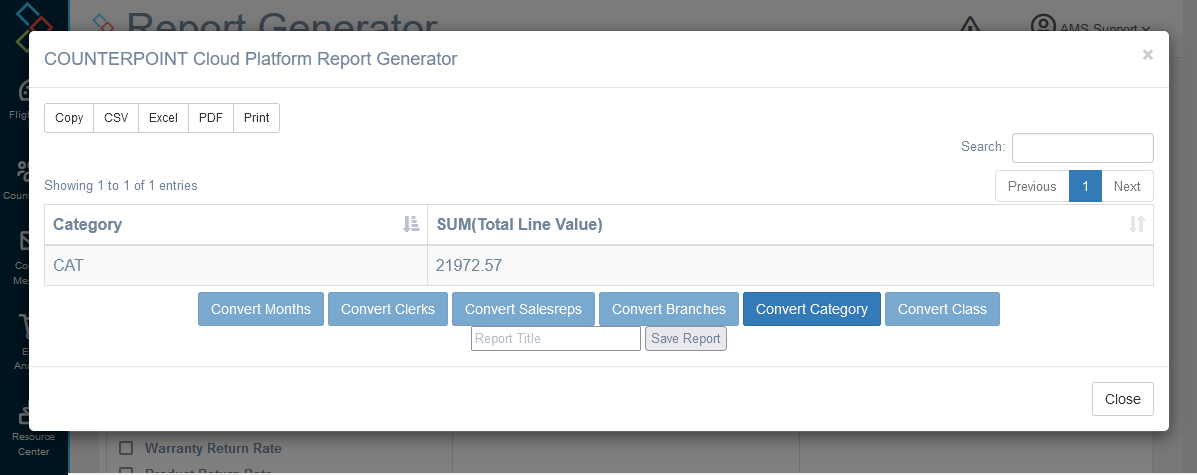
Which should be functionally the same as the previous method for displaying the data.
The Saved Reports page has received some updates, including some exciting new features:
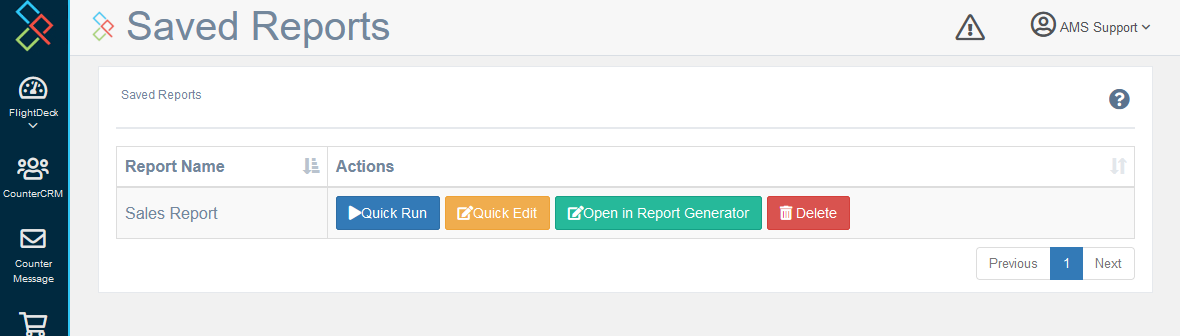
Notably, the first two buttons are new:
Quick Run: opens the report in a modal much like seen above, without leaving the Saved Reports page.
Quick Edit: opens a small modal allowing you to adjust the filters and date range (if applicable) of the report before running it.
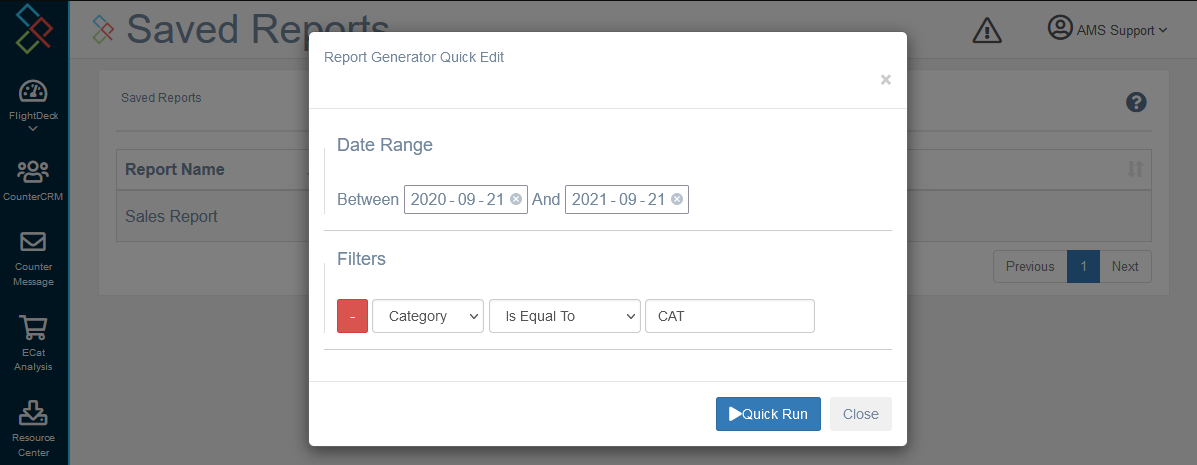
Additionally some of the placements of the fields in the report generator have moved, and there is no longer a default report type selected.
Unfortunately, old saved reports are not compatible with this new format. If you need to know what fields you had used in a previous report, please contact AMS for assistance.
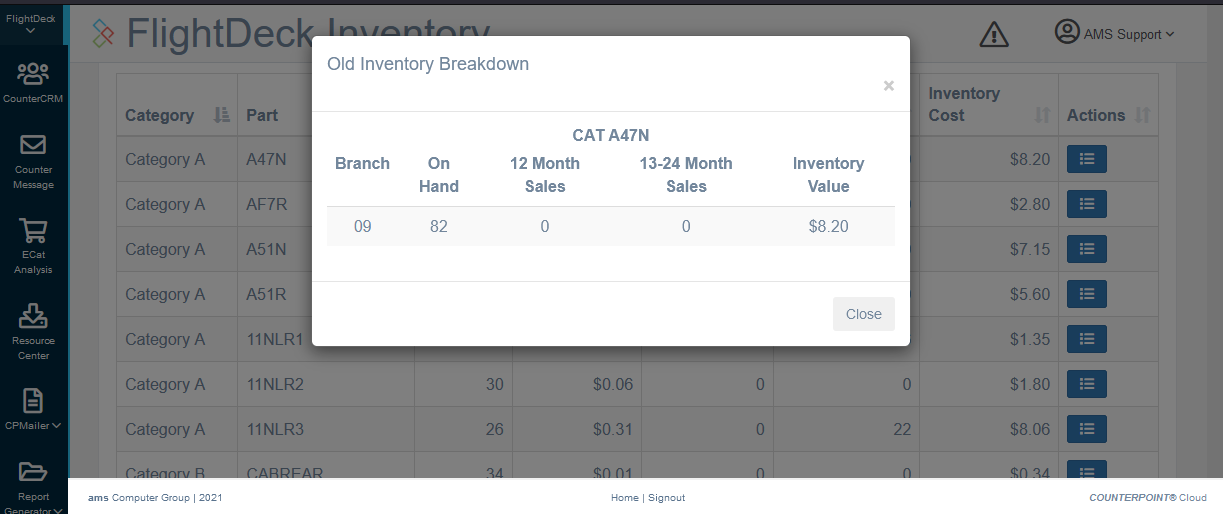
Inventory Old Stock Breakdown
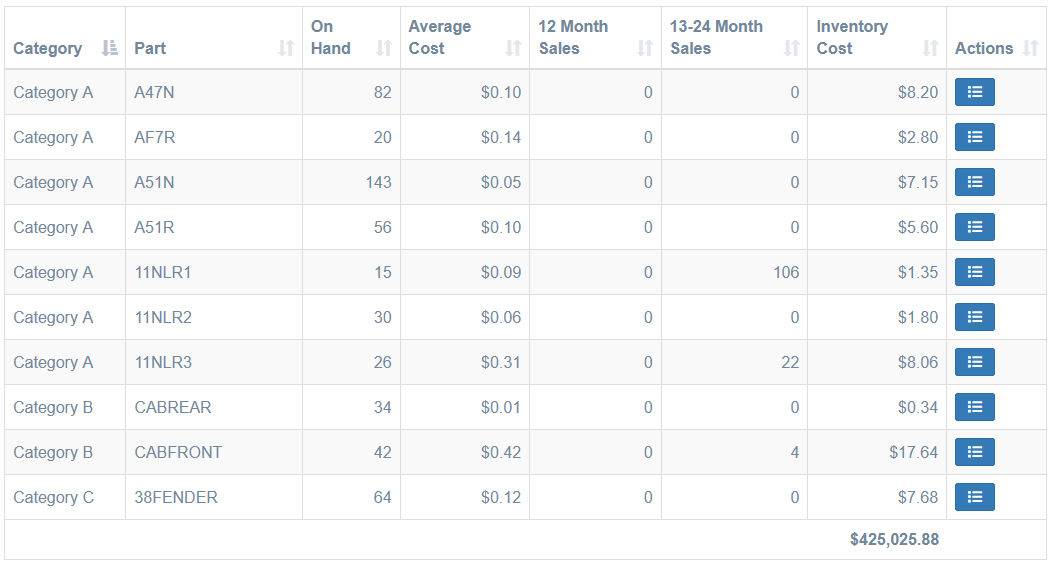
The Old Stock table in the Inventory Dashboard now has a new column, "actions":
QuickDial Shows Active Calls
In the QuickDial module with PBX integration enabled, any active calls are now displayed from the customer lookup screen.
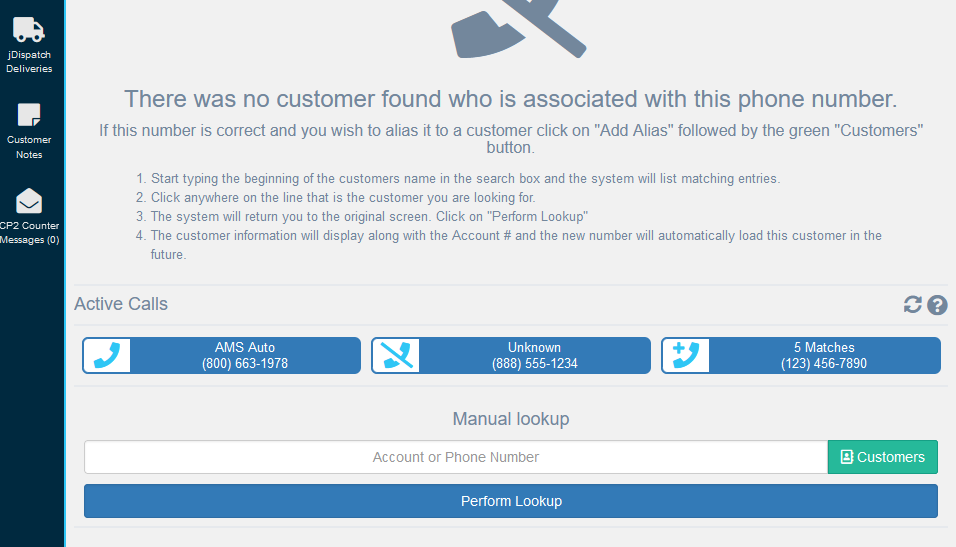
This aims to make the QuickDial module much more approachable for companies that don't wish to use a queue-based call answering program, and makes it easier for an agent to support a customer who was previously placed on hold. Clicking on the element will navigate to the QuickDial screen relevant for that call, as if they had just called in.
Up to 15 calls can be displayed here, where any call which the COUNTERPOINT Cloud Platform has not received notice that the call ended yet within the last hour is displayed. The display checks for new calls every 10 seconds.
Small Changes / Bug Fixes
As well as numerous tiny fixes, and behind-the-scenes upgrades to increase performance and gt ready for exciting changes we have planned!