# Factory Reset Sangoma Desk Phone

You can reset the phone to factory default settings by using buttons directly on the phone, or by accessing the phone's admin GUI via a local web browser.

### Directly From the Phone

<p class="callout warning">Using this method, you will require an admin password. Please contact AMS to obtain this password before proceeding</p>

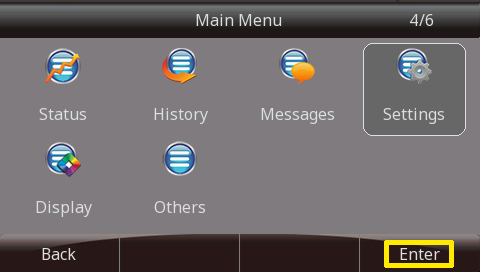
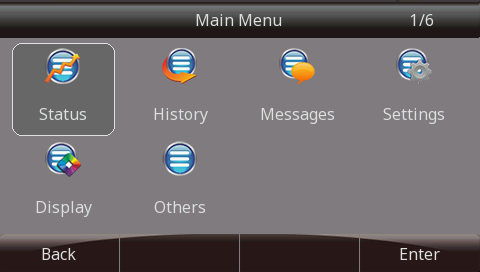
1. Press the **Menu** button.  
    [![image-1613177917745.png](https://docs.amscomp.com/uploads/images/gallery/2021-02/scaled-1680-/image-1613177917745.png)](https://docs.amscomp.com/uploads/images/gallery/2021-02/image-1613177917745.png)
2. Highlight the option **Setting** and press the **Enter** button.   
    [![image-1613177956454.png](https://docs.amscomp.com/uploads/images/gallery/2021-02/scaled-1680-/image-1613177956454.png)](https://docs.amscomp.com/uploads/images/gallery/2021-02/image-1613177956454.png)
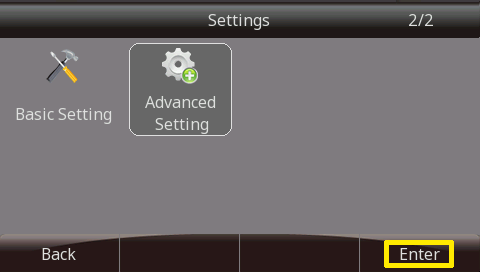
3. Highlight the option **Advanced Setting** and press the **Enter** button.  
    [![image-1613177989976.png](https://docs.amscomp.com/uploads/images/gallery/2021-02/scaled-1680-/image-1613177989976.png)](https://docs.amscomp.com/uploads/images/gallery/2021-02/image-1613177989976.png)
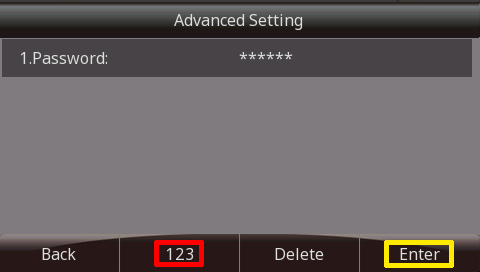
4. You will then be prompted to enter the password for this device. By default, the password is **admin**. Enter the password using the phone keypad, and press the **Enter** button.  
    <p class="callout info">For numeric passwords, it is recommended to press the character selection key (highlighted in red below) to ensure a numeric only keypad is selected.</p>
    
    <span class="confluence-embedded-file-wrapper confluence-embedded-manual-size">  
    </span>[![image-1613178064868.png](https://docs.amscomp.com/uploads/images/gallery/2021-02/scaled-1680-/image-1613178064868.png)](https://docs.amscomp.com/uploads/images/gallery/2021-02/image-1613178064868.png)
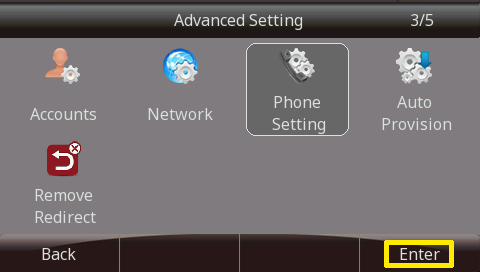
5. Highlight the option **Phone Setting** and press the **Enter** button.  
    [![image-1613178090516.png](https://docs.amscomp.com/uploads/images/gallery/2021-02/scaled-1680-/image-1613178090516.png)](https://docs.amscomp.com/uploads/images/gallery/2021-02/image-1613178090516.png)
6. Then select the option **Factory Reset** and press the **Enter** button.  
    [![image-1613178110516.png](https://docs.amscomp.com/uploads/images/gallery/2021-02/scaled-1680-/image-1613178110516.png)](https://docs.amscomp.com/uploads/images/gallery/2021-02/image-1613178110516.png)
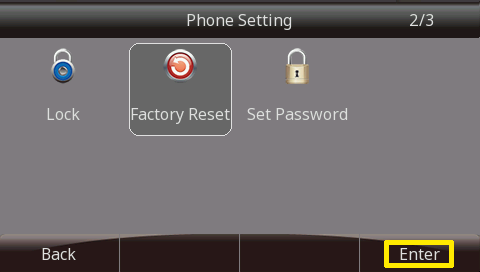
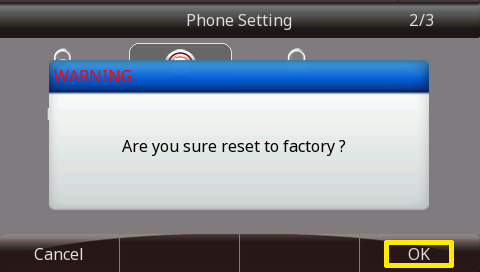
7. A warning message will then appear asking you if you're sure you want to reset to factory default settings. Press **OK** to proceed or **Cancel** to abort.   
    [![image-1613178126591.png](https://docs.amscomp.com/uploads/images/gallery/2021-02/scaled-1680-/image-1613178126591.png)](https://docs.amscomp.com/uploads/images/gallery/2021-02/image-1613178126591.png)
### Factory Reset without Password

Option #1

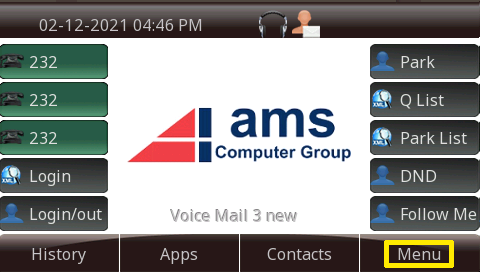
1. Press the **Menu** button.   
    [![image-1613177917745.png](https://docs.amscomp.com/uploads/images/gallery/2021-02/scaled-1680-/image-1613177917745.png)](https://docs.amscomp.com/uploads/images/gallery/2021-02/image-1613177917745.png)  
    [![image-1613178147565.png](https://docs.amscomp.com/uploads/images/gallery/2021-02/scaled-1680-/image-1613178147565.png)](https://docs.amscomp.com/uploads/images/gallery/2021-02/image-1613178147565.png)
2. Press the "**\***" key 3 times and then press and hold the "**X**" key for 10 seconds.  
    <span class="confluence-embedded-file-wrapper">![](https://wiki.freepbx.org/download/attachments/56230226/Reset-5.png?version=1&modificationDate=1460112951000&api=v2)</span>
3. Phone will now preform a factory reset.  
    <span class="confluence-embedded-file-wrapper confluence-embedded-manual-size">![](https://wiki.freepbx.org/download/attachments/56230226/Reset-2.bmp?version=1&modificationDate=1460112948000&api=v2)</span>

Option #2

1. When the phone is powering on, during the Initializing step, press the "**\#**" key 3 times and then press and hold the "**\***" key for 10 seconds.  
    <span class="confluence-embedded-file-wrapper confluence-embedded-manual-size">![](https://wiki.freepbx.org/download/attachments/56230226/Reset-3.png?version=1&modificationDate=1460112949000&api=v2)</span>  
    <span class="confluence-embedded-file-wrapper">![](https://wiki.freepbx.org/download/attachments/56230226/Reset-6.png?version=1&modificationDate=1460112951000&api=v2)</span>
2. Phone will now perform a factory reset.